Navigation
Navigation.mq
The navigation.mq file handles what pages appear in the navigation bar, how they are grouped and ordered. It is located at the root of your project and uses markdown links to point to your .mq pages.
Here is a sample navigation.mq:
mq
# Navigation    <- Headings do not show up in the navigation menu

[Home](index.mq)

Start Here      <- This is a section heading. It shows up in `sidebar` but not in `topnav`.

[Quick Start](quickstart.mq)
[Create Website](create.mq)

Docs            <- Another section heading

[Docs](docs.mq)
    [CLI Commands](docs/cli.mq)
    [Configuration](docs/configuration.mq)
        [Navigation](docs/configuration/nav.mq)
        [Frontmatter](docs/configuration/frontmatter.mq)
        [Layouts](docs/configuration/layouts.mq)
        [Themes](docs/configuration/themes.mq)
    [Directives](docs/directives.mq)
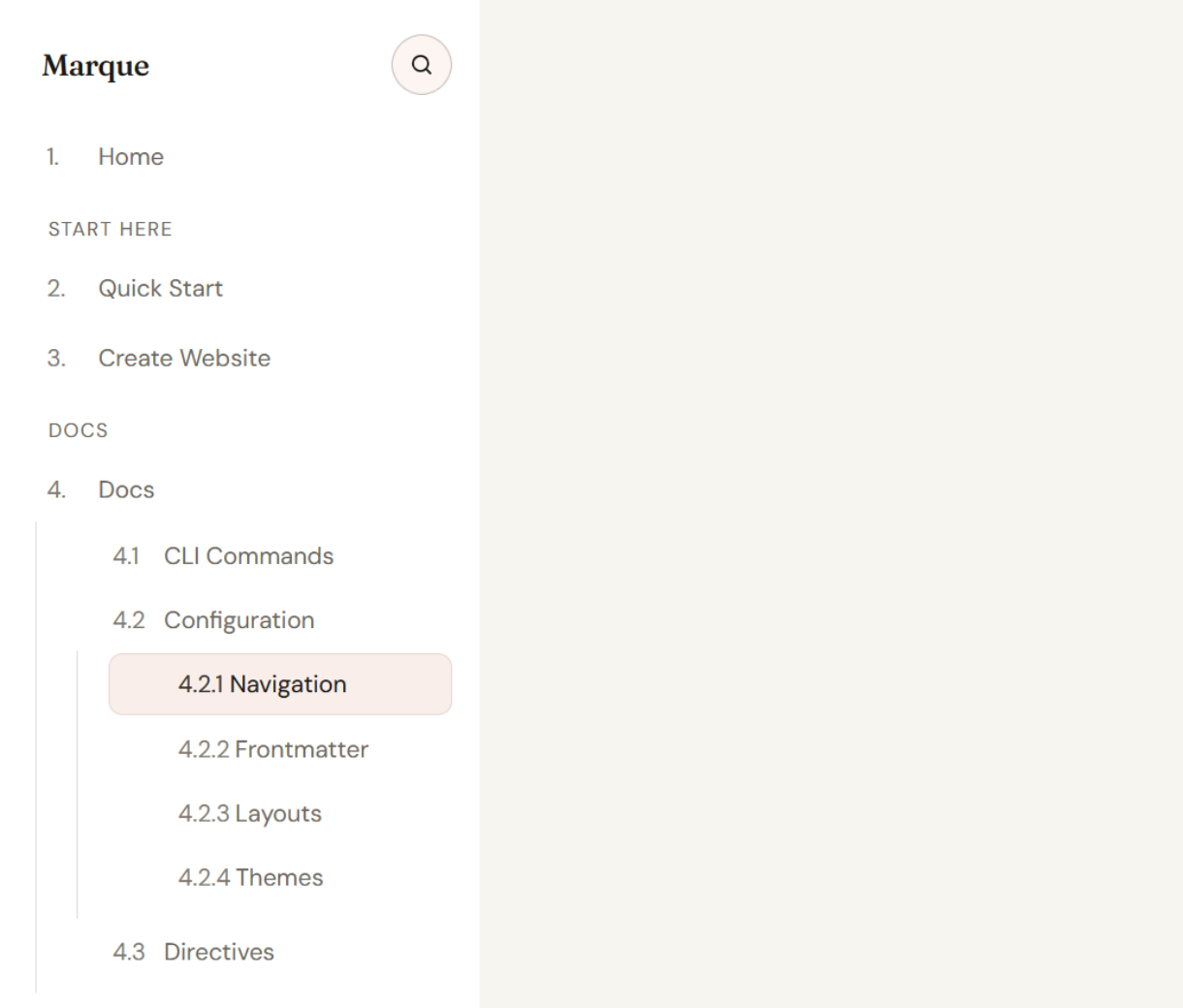
The indentation in the navigation.mq file is not important, but for readability. Marque generates submenus/nesting based on the path of the linked pages. So, if you link to docs/configuration.mq, Marque will create a "Docs" menu with a "Configuration" submenu, regardless of the indentation in the navigation.mq file.
Result: